







Malware is malicious software designed to damage, disrupt, or gain unauthorized access to computer systems. For small businesses, understanding malware threats is vital for protecting operations, customer data, and financial stability.
Small business owners face a challenging reality in today’s digital landscape. Cybercriminals increasingly target smaller organizations, knowing they often lack the robust security infrastructure of larger enterprises.
A single malware attack can devastate your business, leading to operational shutdowns, data theft, financial losses, and irreparable damage to your reputation. The consequences extend far beyond immediate technical problems, potentially threatening your business’s very survival.
With over 25 years of cybersecurity experience and a network of 900+ IT experts, CMIT Solutions understands the unique challenges small businesses face in protecting themselves against malware threats.
What Is a Malware Attack?
A malware attack represents the active deployment and execution of malicious software against your business systems. Unlike the static definition of malware as harmful code, an attack involves a dynamic, multi-stage process that unfolds over time with devastating precision.
The attack lifecycle begins with infiltration, where cybercriminals use various methods to introduce malware into your network. This might occur through a deceptive email attachment, a compromised website visit, or an infected USB drive.
Once inside your system, the malware executes its programmed functions, which could include data encryption, information theft, or system disruption.
The persistence phase is particularly dangerous for small businesses. During this stage, malware establishes a foothold in your system, often hiding from detection while creating backdoors for future access. Finally, the damage phase delivers the attacker’s intended impact, whether financial extortion, data theft, or operational destruction.
Understanding these attack patterns helps small businesses recognize threats early and implement appropriate countermeasures before significant damage occurs.
✔️ Small and medium businesses face unique vulnerabilities during malware attacks. Unlike large enterprises with dedicated security teams, SMBs often rely on limited IT resources and may not detect attacks until substantial damage has occurred.
CMIT Solutions has witnessed firsthand how quickly malware can spread through small business networks, making proactive protection essential for operational continuity.
💡 Additional reading: To build a stronger cybersecurity foundation, we recommend learning what is cyber security and exploring how targeted threats, such as an advanced persistent threat, operate.
The 7 Most Common Types of Malware Threatening Your Business
Small businesses encounter various malware types, each presenting unique risks and requiring specific protection strategies. Understanding these threats helps you recognize potential attacks and implement appropriate security measures.
- Viruses attach themselves to legitimate files and programs, spreading when users share infected documents or software. For small businesses, viruses can corrupt critical business files, disrupt daily operations, and require expensive data recovery efforts.
- Worms replicate automatically across networks without user interaction, making them particularly dangerous for small offices with interconnected systems. These threats can consume network bandwidth and system resources, slowing business operations to a crawl.
- Trojan Viruses disguise themselves as helpful software, tricking users into installing them. Small businesses often encounter Trojans through fake software updates or seemingly legitimate business applications that actually steal sensitive data or create system backdoors.
- Spyware secretly monitors user activities and steals sensitive information like passwords, financial data, and customer records. For SMBs handling client information, spyware attacks can result in compliance violations and loss of customer trust.
- Adware bombards systems with unwanted advertisements and can redirect web traffic to malicious sites. While seemingly less dangerous, adware can significantly slow business systems and expose organizations to additional threats.
- Ransomware encrypts business data and demands payment for decryption keys. This malware type poses the greatest immediate threat to small businesses, potentially shutting down operations entirely until payment is made or systems are restored from backups.
- Fileless Malware operates entirely in system memory, making detection extremely difficult with traditional antivirus solutions. This sophisticated threat can remain hidden while stealing data or providing remote access to attackers.
| Malware Type | How It Spreads | SMB Impact | Detection Difficulty |
| Virus | Email attachments, file sharing | Data corruption, system slowdown | Medium |
| Worms | Network connections | Network congestion, system crashes | Medium |
| Trojan | Fake software downloads | Data theft, backdoor access | High |
| Spyware | Malicious websites, email | Information theft, compliance issues | High |
| Adware | Software bundles, pop-ups | System slowdown, security exposure | Low |
| Ransomware | Phishing emails, compromised websites | Complete operational shutdown | Medium |
| Fileless | Memory-based attacks | Persistent threats, data theft | Very High |
How Malware Infiltrates Small Business Networks
Small businesses face multiple entry points where malware can penetrate their networks, often through everyday business activities that seem routine and harmless.
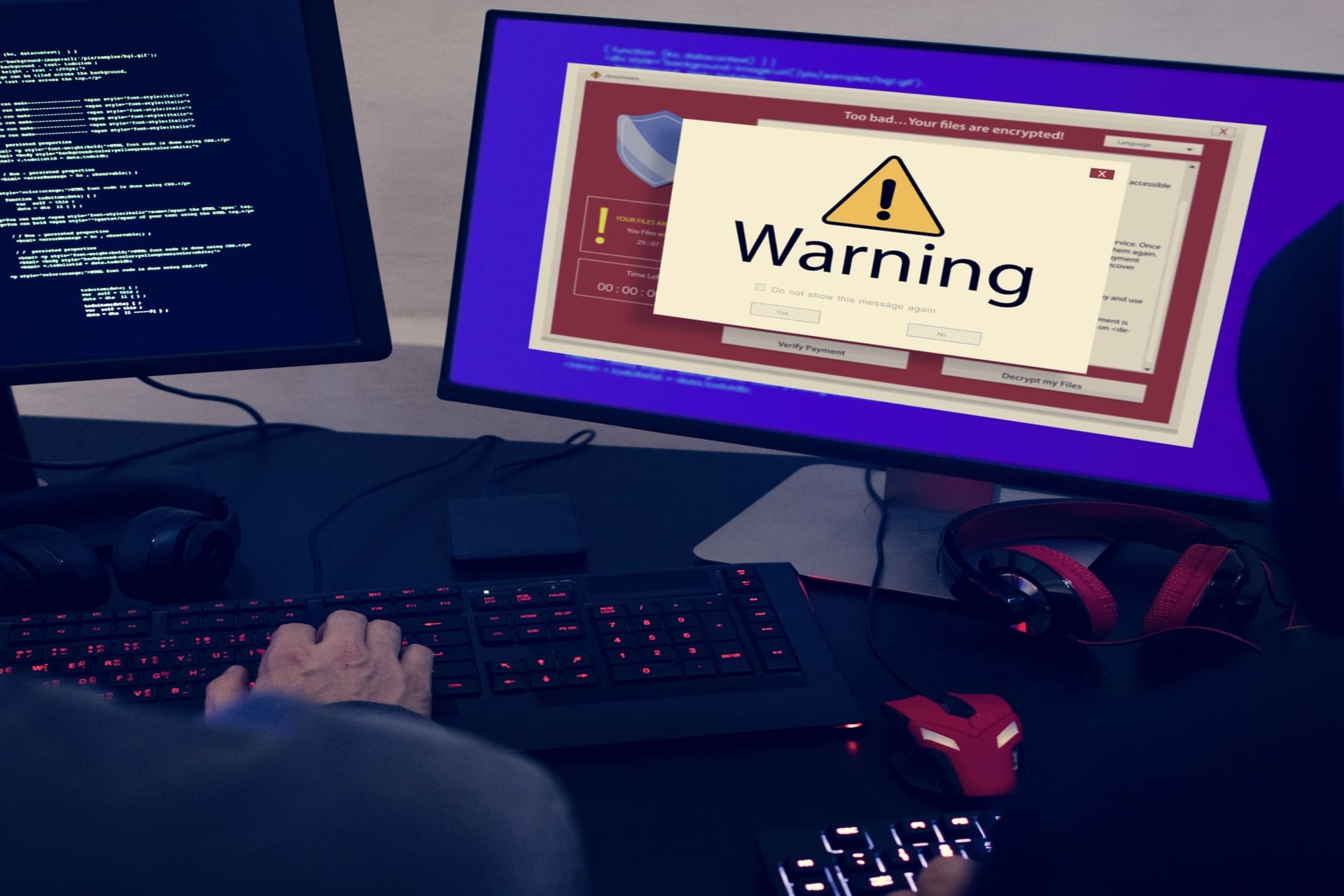
- Email attachments and phishing campaigns represent the most common infection vector, with cybercriminals crafting convincing messages that appear to come from trusted sources. Employees may unknowingly download malicious files disguised as invoices, contracts, or business correspondence.
- Malicious websites and drive-by downloads infect systems when employees visit compromised sites during normal web browsing. Even legitimate websites can be compromised, making this threat particularly challenging to avoid through user training alone.
- USB devices and removable media can carry malware from external sources into your business network. Employees using personal devices or accepting promotional USB drives at trade shows may inadvertently introduce threats.
- Unsecured networks and public WiFi expose business devices to man-in-the-middle attacks and malware injection. Remote workers connecting to coffee shop networks or hotel WiFi can provide entry points for cybercriminals.
- Software vulnerabilities and outdated systems create security gaps that attackers exploit through automated scanning tools. Small businesses often delay software updates due to operational concerns, leaving systems vulnerable to known exploits.
Warning Signs Your Business May Be Infected
Recognizing malware infections early can mean the difference between minor disruption and catastrophic business loss, making employee awareness vital for rapid response.
- System performance degradation, including slower startup times, frequent crashes, and unresponsive applications, often indicates malware consuming system resources. Employees should report persistent performance issues immediately.
- Unusual network activity, such as increased internet usage, unexpected data transfers, or blocked access to security websites, suggests malware communicating with external servers. Monitor network traffic for suspicious patterns.
- Unexpected pop-ups and advertisements appearing even when not browsing the internet typically indicate an adware infection. These intrusions can also signal more serious underlying threats.
- Modified or missing files, including corrupted documents, renamed files, or encrypted data with unusual extensions, strongly suggest ransomware or data-destructive malware. Regular file integrity checks help identify these changes.
- Unauthorized account activities such as password changes, new user accounts, or suspicious login attempts indicate potential spyware or remote access threats. Monitor user account activities closely.
- Browser redirects and changed settings, including new homepages, search engines, or toolbar installations without user consent, suggest browser hijacking malware. These changes often accompany more serious system compromises.
- Antivirus software disabled or reporting constant threats while being unable to remove them indicates sophisticated malware designed to evade security measures. Professional intervention becomes necessary at this point.
📌 Small businesses should establish clear protocols for employees to report these warning signs immediately, as early detection significantly improves recovery outcomes and reduces overall impact.
The Real Cost of Malware Attacks for Small Businesses
The financial impact of malware attacks extends far beyond ransom payments or system repair costs. Small businesses face a complex set of expenses that can threaten their operations, making proactive protection significantly more cost-effective.
Direct expenses include ransom demands, hardware replacement, software restoration, and professional recovery services. These costs can quickly escalate, especially when critical systems and sensitive data are affected.
Operational downtime often represents the largest hidden cost. Even short periods of disruption can result in substantial lost productivity, delayed customer deliveries, and missed revenue opportunities. Full recovery from a ransomware incident can take several days or longer, depending on system complexity and the scope of the attack.
Customer trust erosion adds long-term financial impact through lost business, cancelled contracts, and reputational damage. Many small businesses experience a noticeable drop in client retention following a significant cyber incident, and rebuilding trust can take a year or more.
Legal, regulatory, and compliance-related expenses may further increase the financial burden for businesses managing sensitive or regulated data. Notification requirements, legal fees, and potential penalties can add substantial costs in the aftermath of an attack.
The Small Business Administration emphasizes the importance of business continuity planning to prepare for cyber incidents and minimize financial disruption.
| Business Size | Typical Daily Loss | Typical Recovery Time | Total Estimated Impact |
| 5–15 employees | Can be significant enough to halt revenue-generating activity | 3–7 days | Potentially severe business disruption |
| 16–50 employees | Higher productivity and revenue impact across teams | 5–10 days | Substantial multi-day financial impact |
| 51–100 employees | Greater operational dependency on technology | 7–14 days | Significant business-wide losses |
Essential Malware Protection Strategies for SMBs
Effective malware protection requires a comprehensive approach that balances security effectiveness with practical implementation constraints faced by small businesses.
- Employee education and training form the foundation of malware defense, with regular sessions teaching staff to recognize phishing emails, suspicious websites, and social engineering tactics. Quarterly training sessions with simulated phishing tests significantly reduce successful attack rates.
- Regular data backups provide essential recovery options when prevention fails, with automated daily backups stored both locally and in secure cloud environments. Testing backup restoration procedures monthly ensures data availability during actual emergencies.
- Software updates and patch management eliminate known vulnerabilities that attackers routinely exploit, requiring systematic approaches to keep operating systems, applications, and security software current. Automated patching systems reduce administrative burden while maintaining security.
- Email security measures, including spam filtering, attachment scanning, and link protection, block the majority of malware delivery attempts. Advanced email security solutions can quarantine suspicious messages for administrative review.
- Network security basics, such as firewalls, secure WiFi configurations, and network segmentation, limit malware spread once systems become infected. Properly configured network security creates multiple defensive layers.
- Access controls and user permissions implement the principle of least privilege, ensuring employees can only access systems and data necessary for their roles. Regular access reviews remove unnecessary permissions and identify potential security gaps.
- Endpoint protection, including next-generation antivirus software, endpoint detection and response tools, and mobile device management, secures all devices accessing business systems. Cloud-based solutions provide enterprise-level protection at small business prices.
- Incident response planning establishes clear procedures for malware detection, containment, and recovery, reducing response time and minimizing damage. Regular plan testing ensures effectiveness during actual incidents.
Small businesses often deploy complete malware protection programs gradually over several months. Total investment varies based on organization size and technology requirements, but even modest, well-planned security budgets can deliver meaningful protection and reduce long-term risk.
Detection Tools That Work for Small Business Budgets
Small businesses need malware detection tools that provide strong protection without the cost or complexity of enterprise-grade platforms. The most effective approach combines layered defenses with tools designed for SMB environments.
Key capabilities to prioritize include:

- Advanced threat detection: Tools that use behavioral analysis, machine learning, and cloud-based intelligence to identify new and unknown malware variants
- Automated monitoring and alerts: Continuous visibility into suspicious activity without requiring full-time IT staff
- Cloud-based delivery: Eliminates hardware needs and reduces maintenance burden for small IT teams
- Low-administration design: Simple deployment, automatic updating, and centralized policy management
- Incident reporting and response support: Provides actionable alerts and guidance so issues can be addressed quickly
Recommended cost-effective malware detection layers for SMBs
Next-generation antivirus (NGAV)
- Detects known and zero-day malware types using behavioral and AI-driven analysis
- Designed for small teams with automatic updates and simple management
Managed detection and response (MDR)
- 24/7 monitoring, threat hunting, and incident investigation without hiring internal analysts
- Adds expert analysis and rapid response capabilities
Email security gateways
- Filters malware-laden attachments and phishing attempts
- Cloud-based filtering provides enterprise-style protection at SMB-friendly scale
Network traffic monitoring tools
- Identifies suspicious communication patterns and lateral movement inside networks
- Adds a second line of defense if malware bypasses endpoint tools
ROI for SMB malware detection investments
Effective malware detection pays for itself by preventing:
- Costly downtime
- Data theft and regulatory exposure
- Client loss and brand damage
- Expensive forensic recovery efforts
Even modest, well-planned investments in layered detection can avoid major business disruption and preserve revenue.
Step-by-Step Malware Removal Guide for Small Businesses
When malware infections occur despite preventive measures, systematic removal procedures minimize damage and restore operations quickly while preserving evidence for potential legal action.
- Immediate isolation involves disconnecting infected systems from networks and the internet to prevent malware spread and data exfiltration. Physical disconnection provides the most reliable isolation method during active infections.
- Assessment and documentation require identifying the scope of infection, affected systems, and potential data compromise. Screenshots, system logs, and network activity records provide valuable information for recovery and potential legal proceedings.
- Backup verification ensures recent clean backups exist before beginning removal procedures, as some removal attempts may cause additional system damage. Testing backup integrity prevents recovery complications later in the process.
- Malware scanning and removal using multiple security tools increases detection rates and ensures comprehensive threat elimination. Professional-grade removal tools often detect threats that standard antivirus software misses.
- System cleaning and validation includes registry repairs, temporary file removal, and comprehensive system scans to confirm complete malware elimination. Multiple validation passes ensure no remnants remain to reinfect systems.
- Security patching and updates address vulnerabilities that enabled initial infection, preventing immediate reinfection through the same attack vectors. Comprehensive updates include operating systems, applications, and security software.
- Data recovery and restoration return systems to normal operation using clean backups and verified data sources. Staged restoration allows for infection monitoring during the recovery process.
- Monitoring and verification include extended system observation to ensure complete malware elimination and identify any remaining threats. Professional monitoring services can provide additional oversight during critical recovery periods.
The Cybersecurity and Infrastructure Security Agency provides comprehensive incident response resources for organizations dealing with cyber incidents, including detailed procedures specifically designed for small business environments.
Industry-Specific Malware Risks and Compliance Requirements
Different industries face unique malware threats and regulatory requirements that influence protection strategies and compliance obligations. Understanding these sector-specific risks helps businesses implement appropriate security measures.
Healthcare organizations handling protected health information must comply with HIPAA requirements that mandate strong security controls and breach-notification procedures. Malware incidents that expose patient data can result in regulatory investigations, significant fines, and reputational damage.
✔️ Our HIPAA-compliant IT services help healthcare practices maintain compliance while protecting patient data and daily operations.
Financial services companies operate under strict regulations, including SOX, GLBA, and PCI DSS, each requiring documented cybersecurity safeguards and incident-response capabilities. Cyber incidents in the financial sector are consistently associated with some of the highest data-breach costs across industries, reinforcing the need for layered security and proactive monitoring.
✔️ Our financial and insurance cybersecurity solutions support regulated firms with secure infrastructure, compliance readiness, and ongoing threat defense.
Legal firms face unique challenges in protecting attorney-client privileged information while maintaining accessibility for case work. Bar associations increasingly require cybersecurity training and incident response planning, with malpractice implications for inadequate data protection.
✔️ Legal firm IT solutions must balance security with usability for legal professionals.
Manufacturing companies encounter industrial espionage risks where malware targets intellectual property, production processes, and supply chain information. Operational technology systems face increasing cyber threats that can disrupt production lines and compromise product quality.
✔️ Manufacturing cybersecurity requires specialized approaches for both information technology and operational technology environments.
Retail businesses handling payment card data must comply with PCI DSS requirements while protecting customer information and financial transactions. Point-of-sale malware specifically targets retail environments, making specialized endpoint protection essential.
✔️ Retail security solutions address both physical and digital payment processing risks.
For businesses in defense contracting and related industries, malware protection becomes even more critical due to CMMC (Cybersecurity Maturity Model Certification) requirements.
CMIT Solutions specializes in helping organizations achieve and maintain CMMC compliance through comprehensive cybersecurity frameworks that protect against malware and other threats.
Our CMMC compliance services ensure your business meets Department of Defense standards while maintaining operational efficiency. Learn more about our CMMC compliance services
Creating a Malware Response Plan for Your Small Business
A comprehensive malware response plan provides structured procedures for handling incidents efficiently while minimizing business disruption and legal exposure.

- Incident identification procedures establish clear criteria for recognizing potential malware infections and triggering response protocols. Training employees to identify and report suspicious activities ensures rapid detection and containment.
- Communication protocols define internal and external notification requirements, including management alerts, customer notifications, and regulatory reporting obligations. Clear communication prevents confusion and ensures compliance with legal requirements.
- Containment strategies outline immediate steps to isolate infected systems and prevent malware from spreading throughout the business network. Pre-defined isolation procedures reduce response time during high-stress incident conditions.
- Recovery procedures detail systematic approaches to malware removal, system restoration, and operational resumption using tested backup and recovery processes. Documentation of recovery steps ensures consistent execution during actual incidents.
- Evidence preservation maintains forensic integrity for potential legal proceedings while supporting insurance claims and regulatory investigations. Proper evidence handling protects business interests during post-incident activities.
- Vendor contact information includes emergency contact details for IT support providers, cybersecurity specialists, legal counsel, and insurance representatives. Readily available contact information accelerates professional assistance during critical situations.
- Regular plan testing through tabletop exercises and simulated incidents identifies gaps and improves response effectiveness. Annual testing ensures plan currency and staff familiarity with procedures.
When to Call in Professional Help
Knowing when to bring in cybersecurity experts can prevent a small malware incident from turning into a major business disruption.
Small businesses should seek professional assistance when:
- Malware persists after internal removal attempts
- Ransomware affects critical business systems or data access
- Sensitive data, such as customer or financial information, may be compromised
- Security software is disabled or bypassed
- Systems show signs of persistent unauthorized access
- The business lacks internal expertise or time to respond effectively
These situations require fast action to limit damage, protect data, and restore operations safely.
Why Professional Support Matters
Professional cybersecurity teams provide:
- Specialized malware removal tools and techniques
Advanced monitoring and threat detection - Rapid incident response and containment
- Forensic support for insurance and legal needs
- 24/7 coverage that most internal teams cannot maintain
Managed IT services are often more cost-effective than hiring internal security staff and provide access to enterprise-grade security capabilities tailored to small businesses.
What to Ask Potential Providers
Before choosing a security partner, small businesses should ask about:
- Experience supporting similar industries and business sizes
- Average response times for security incidents
- Tools used for detection, response, and recovery
- Regulatory and compliance expertise
- Verification of certifications and insurance coverage
- Availability of 24/7 emergency support
These questions help ensure the provider can deliver the protection and response capabilities your business needs.
FAQs
Does malware insurance exist for small businesses?
Cyber liability insurance specifically covers malware-related losses, including business interruption, data recovery, legal fees, and regulatory fines. Most policies require businesses to maintain basic security measures and may offer premium discounts for comprehensive cybersecurity programs.
Can malware spread through cloud storage services?
Malware can infect files stored in cloud services and potentially spread to other devices accessing shared folders. However, reputable cloud providers implement security measures that limit malware propagation compared to traditional file-sharing methods.
What happens if we accidentally pay a ransomware demand?
Paying ransomware demands provides no guarantee of file recovery and often marks businesses as willing targets for future attacks. Organizations that pay ransoms face additional legal obligations in some jurisdictions and may need to report payments to federal authorities.
Are mobile devices vulnerable to the same malware as computers?
Mobile devices face different malware types, including malicious apps, SMS-based attacks, and network-based threats. Business mobile device management policies should include app store restrictions, regular updates, and endpoint protection specifically designed for mobile platforms.
How do we know if our current antivirus is enough protection?
Traditional antivirus software provides limited protection against modern malware variants, particularly fileless attacks and zero-day threats. Regular security assessments can identify gaps in current protection and recommend additional security layers for comprehensive coverage.